
Frequently asked before purchase · VALORANT
What PC do I need for VALORANT on a 240Hz monitor?
This combination can exceed 240 FPS in some FHD High scenarios, but it does not guarantee a locked 240 FPS. Maps, effects, memory channels, and background tasks can change competitive-match performance.
August 12, 2026 · September 13, 2026
Quick answer
The short answer
This combination can exceed 240 FPS in some FHD High scenarios, but it does not guarantee a locked 240 FPS. Maps, effects, memory channels, and background tasks can change competitive-match performance.
Recommended settings: Check the in-game frame limit, Windows refresh-rate setting, monitor port, and cable. For more consistent high-refresh play, 32GB dual-channel memory is preferable.
Current DecoLife configuration
Current DecoLife configuration
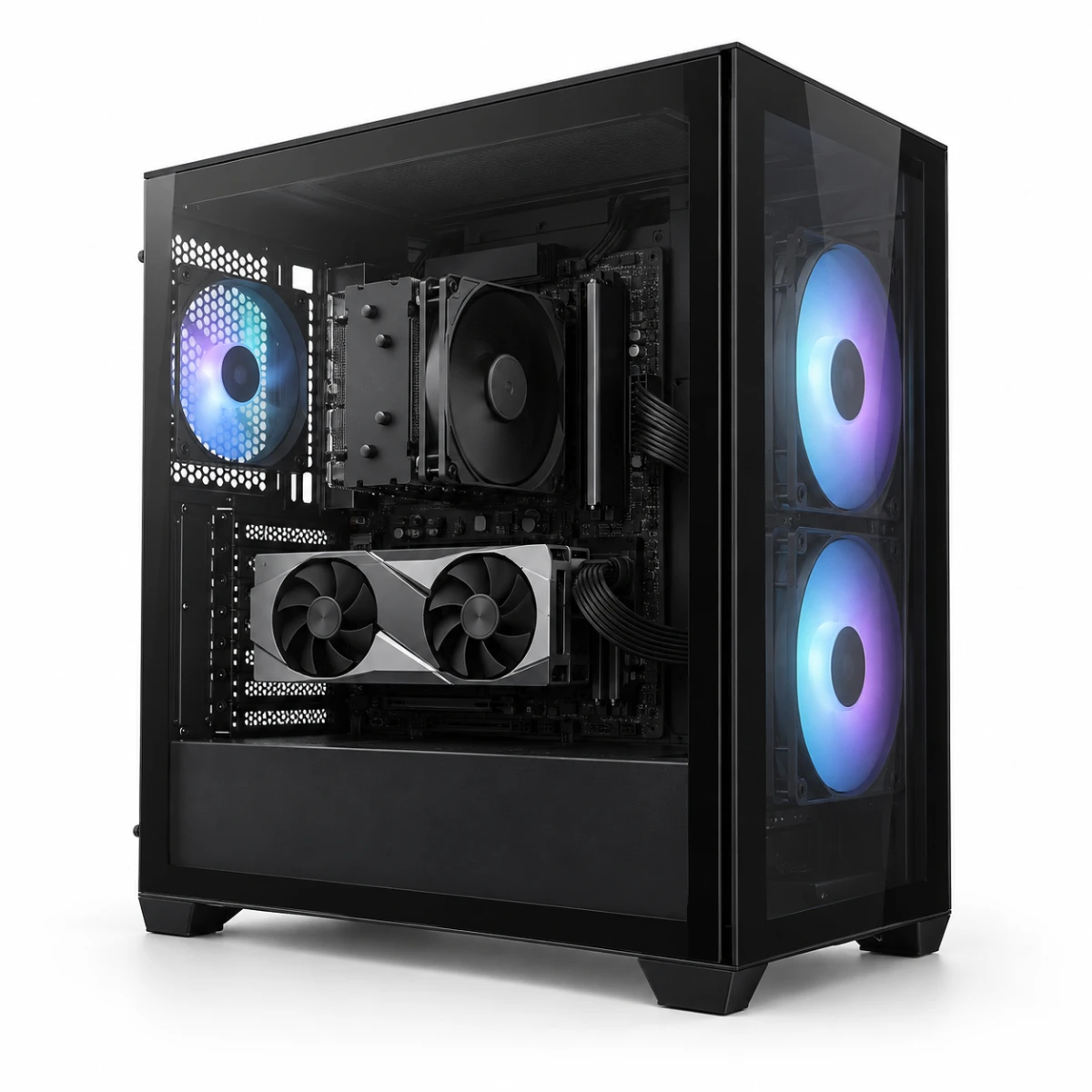
Decolife Gaming PC DGP-0001
Black gaming PC with Ryzen 5 7500F and MSI RTX 5060 Ti 8GB
- CPU
- AMD Ryzen 5 7500F
- Graphics card
- MSI GeForce RTX 5060 Ti VENTUS 2X OC PLUS 8GB
- Motherboard
- MSI PRO B650M-P
- Memory
- ESSENCORE KLEVV DDR5 16GB 5600
- SSD
- ADATA LEGEND 860 500GB
- Case
- darkFlash DS500 RGB black mid-tower case
- Power supply
- ABKO Coremax CM-700B ETA Bronze 700W
- CPU cooler
- OTH CV-420 black
Current listed price 1,760,400원
Estimated performance
VALORANT FHD FPS
These figures are not direct measurements of the finished DecoLife PC or a performance guarantee. They are pre-purchase reference ranges based on an external benchmark with the same CPU and GPU, adjusted for differences from the current listed system.
| Resolution | Graphics settings | DecoLife estimated range | External video average |
|---|---|---|---|
| FHD (1920×1080) | High / MSAA ×2 | Approx. 380~520 FPS | 575 FPS |
- • High / MSAA ×2: Conservatively adjusted from the video's 1080p High MSAA ×2 segment to account for the listed PC's 16GB memory
Frequently asked before purchase
Frequently asked before purchase
These questions were rewritten for the current product from recurring public shopping concerns; no private customer conversation is reproduced.
Does connecting a 240Hz monitor automatically enable 240Hz?
No. Select the refresh rate in Windows and the graphics settings, and use a monitor port and cable that support it.
What should I check if HDMI shows no picture?
Connect the monitor to the RTX 5060 Ti output, not the motherboard video port. Also check the monitor's input source and cable specification.
Is Wi-Fi included?
The listed MSI PRO B650M-P specifications do not state that Wi-Fi is included. Plan for Ethernet, or verify a compatible Wi-Fi card or USB adapter separately.
Can it hold 240 FPS in VALORANT?
The FHD High estimate is about 380–520 FPS, but it is not a finished-system measurement or a guarantee of a locked 240 FPS. Effects, memory configuration and background tasks can change low frame rates.
Is this PC too expensive if I only play VALORANT?
A lower-specification PC may also be worth comparing if you only play VALORANT at a modest refresh rate. Decide based on the current price and whether you also want 240Hz or higher, demanding games, streaming, or future upgrade headroom.